Fig could tell you if a product fit your diet. It couldn't tell you who in your family it was safe for.
Getting it wrong means someone eats something they can't.
Fig was moving to a new brand system. I rebuilt every screen in the new brand. The scan itself worked for one person. A household with different restrictions had no way to see everyone's answer at once.
A family isn't one set of restrictions. It's overlapping ones. Aaron can't have eggs. Sarah can. The original app only let you set up one profile. Families piled everyone's restrictions onto that profile, logged in and out between scans, or used it for one person and stayed blind to the rest.
Add everyone to the account. Scan a barcode and each person gets a result. Green or red, right at the top.
Sign up
→Add a Fig
→Restrictions
→Ingredients
→Add another
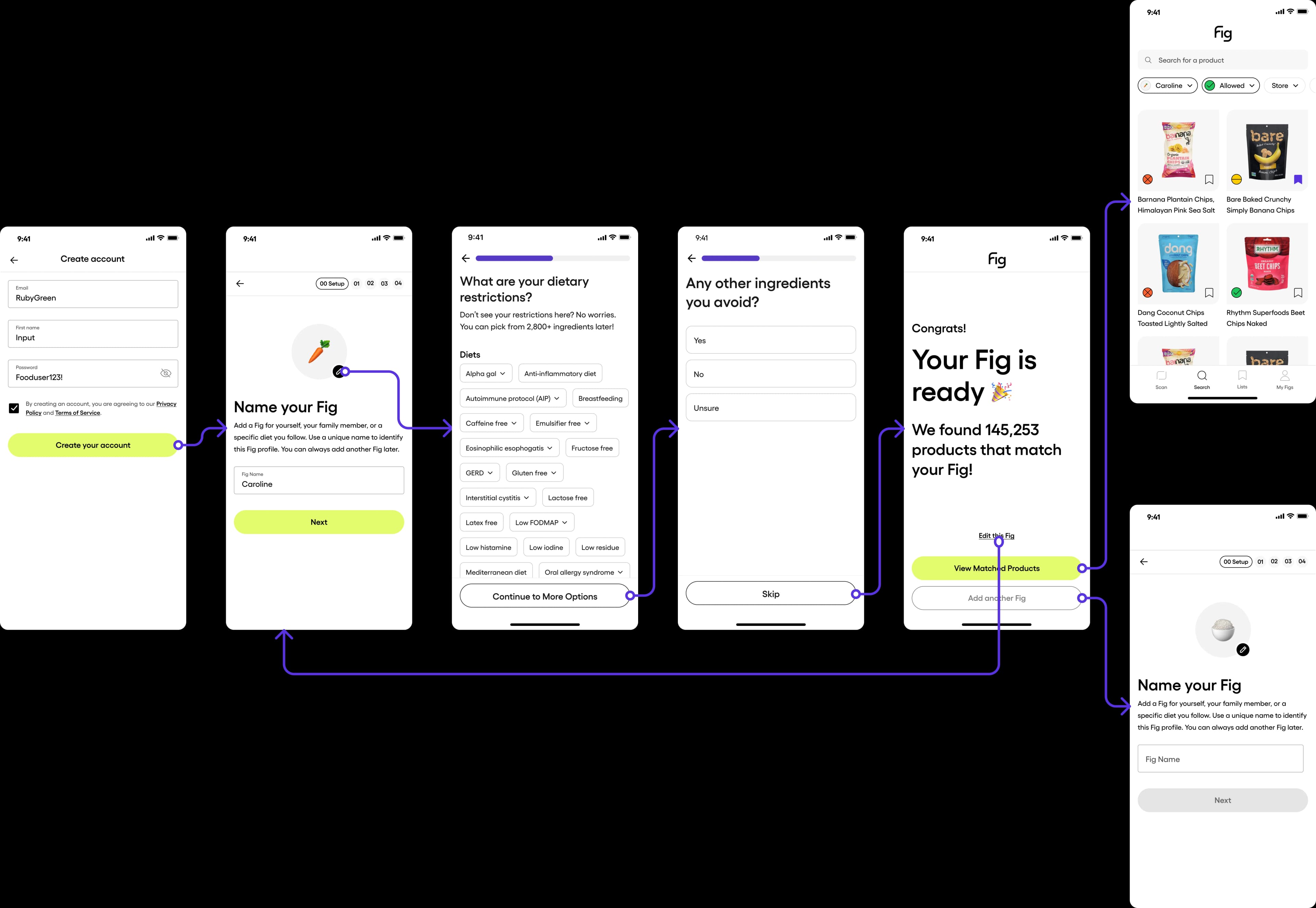
One scan. The whole family knows.
The product page breaks it down. Each restriction gets its own row. Safe, flagged, or red. Tap a name to see just their view. Tap a category to see why it's flagged.
Profiles
→Scan
→Result
→Detail
→Sarah's view

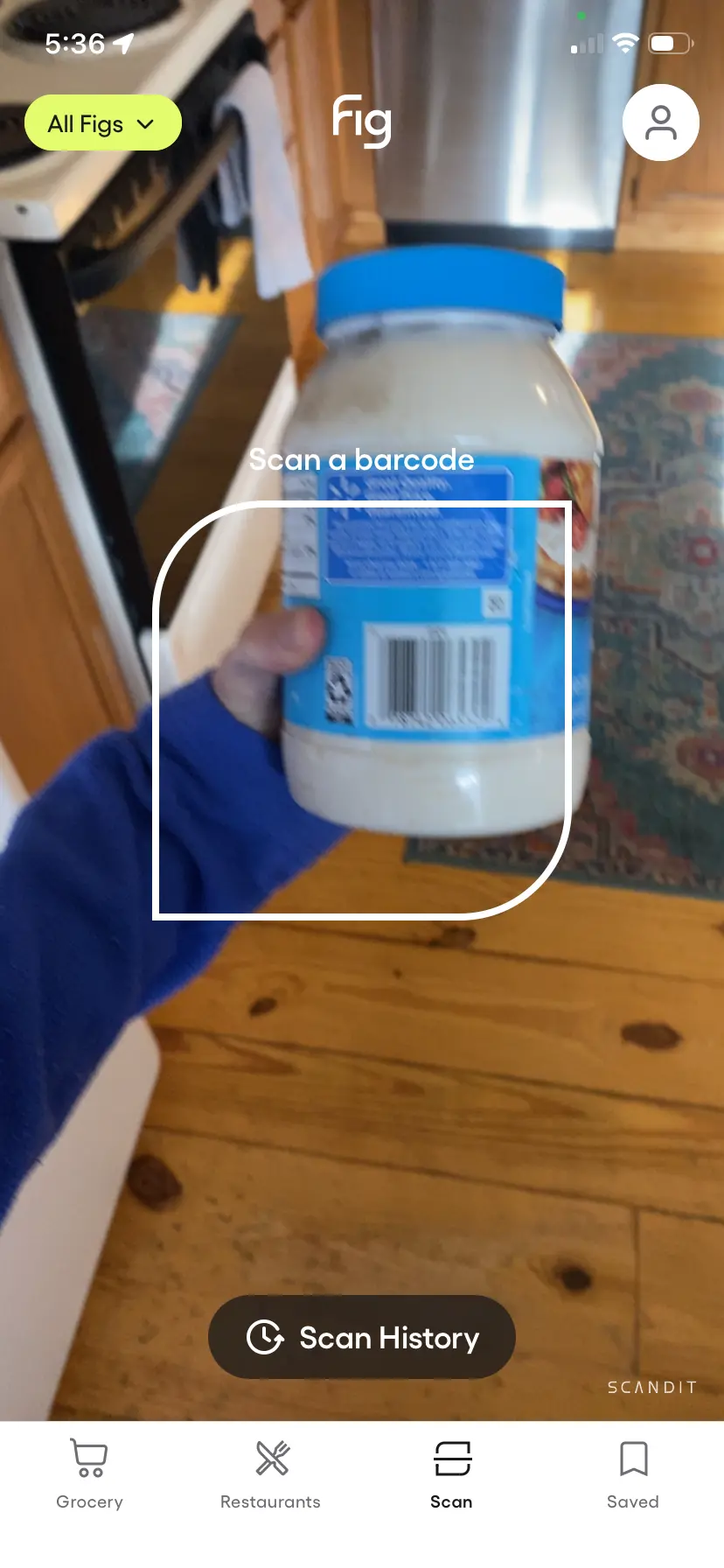
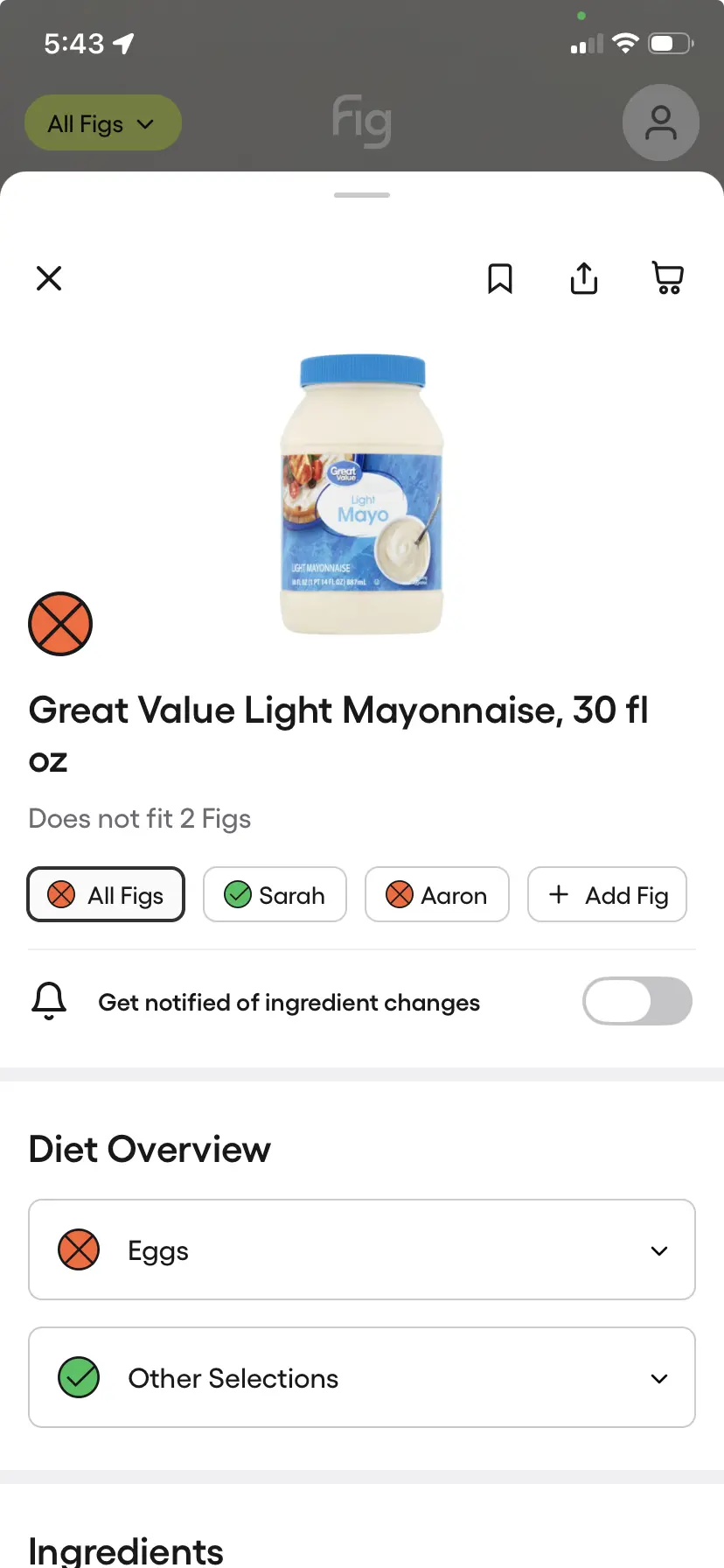
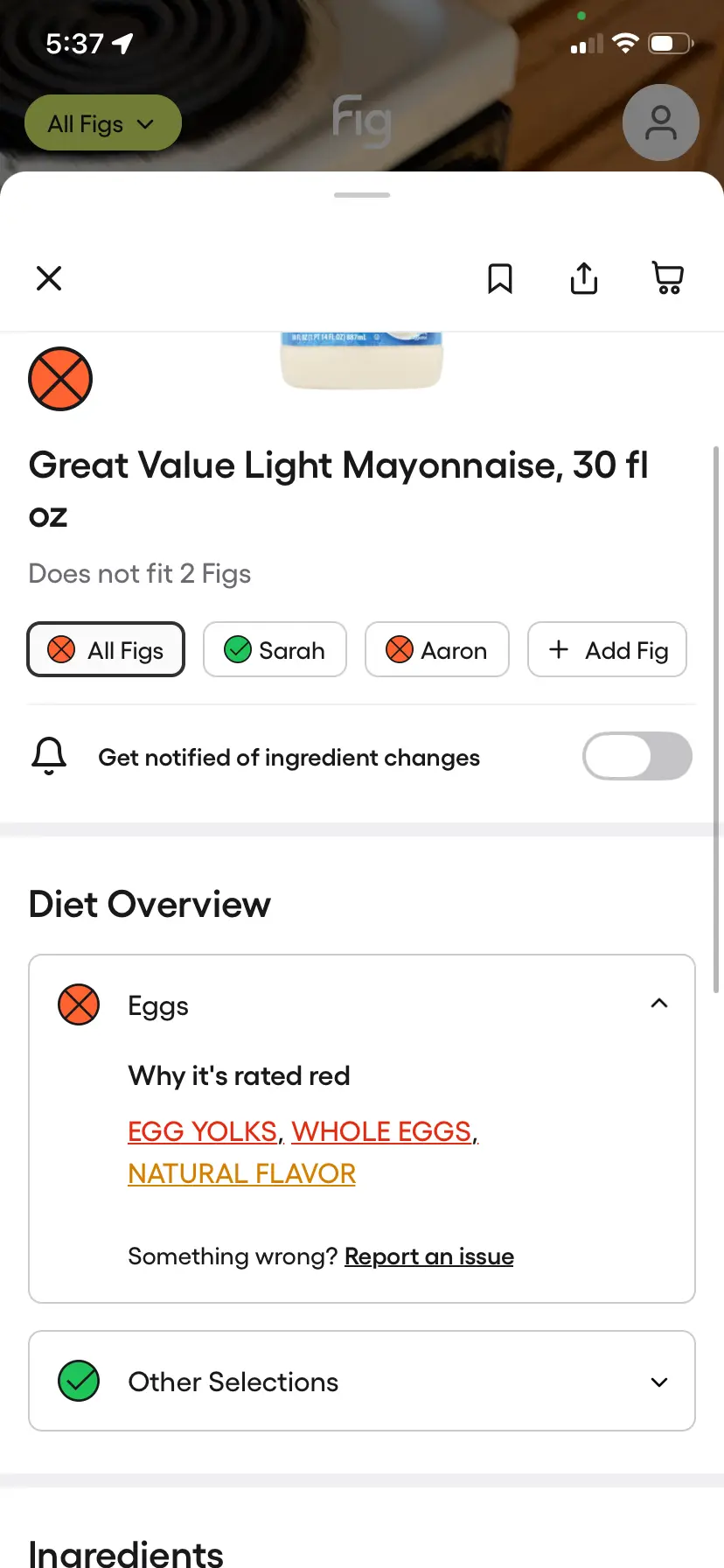
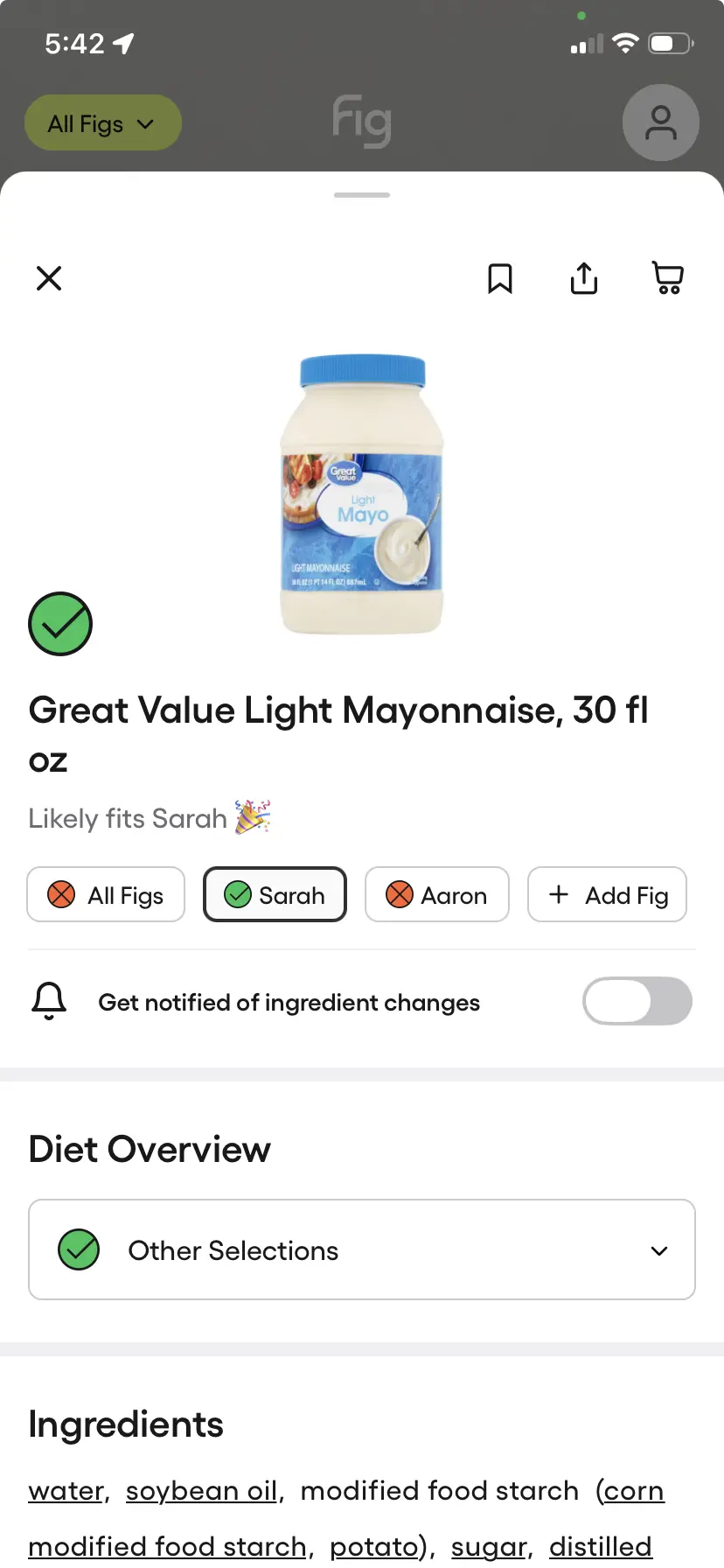
Eggs red for Aaron. One tap: "Why it's rated red." Switch to Sarah. Green. Eggs isn't her restriction, so the flag isn't there.
I explored four versions of how to show the result. Each was a different bet on what someone needs to see first when deciding if a product is safe for their family.
Earlier explorations
Tabs (chosen)
Buckets
Inline
Drill
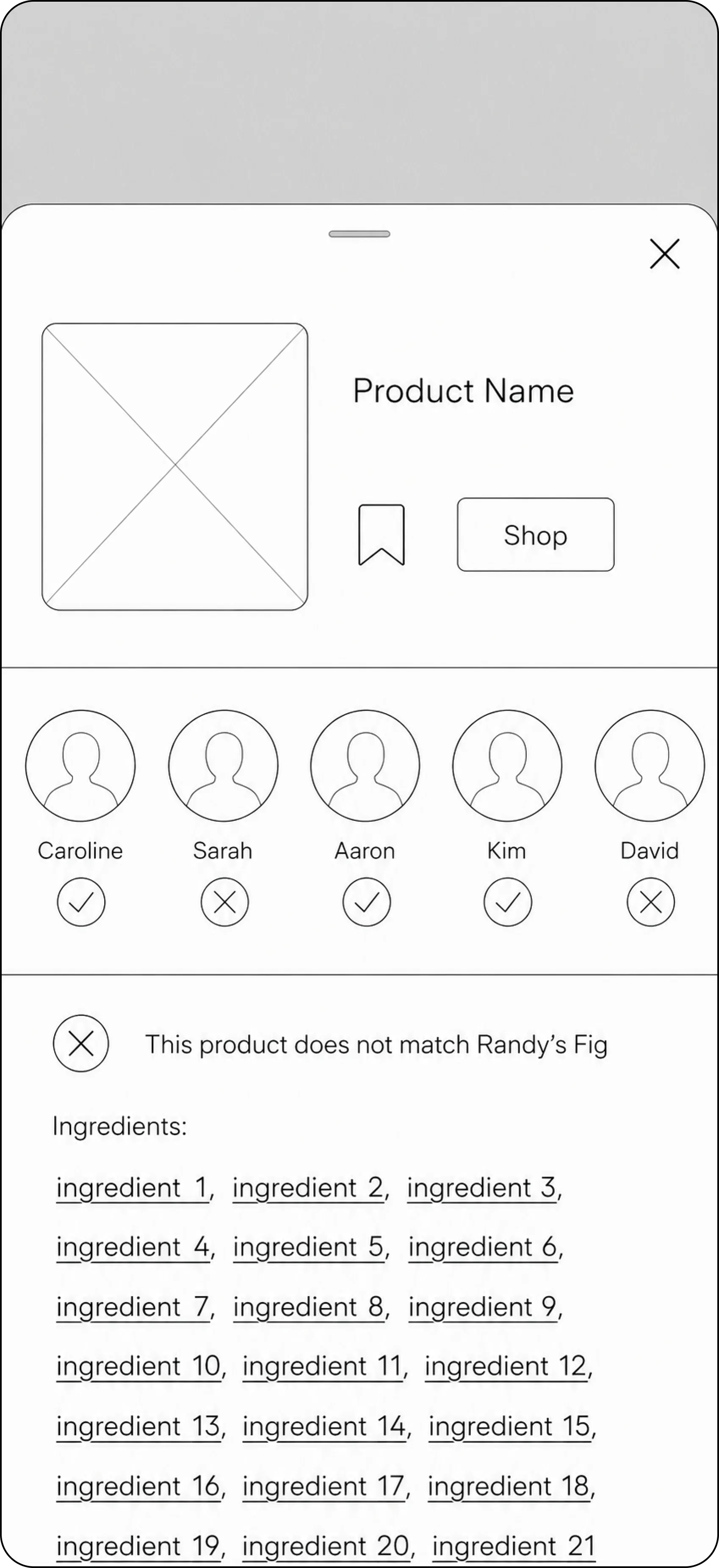
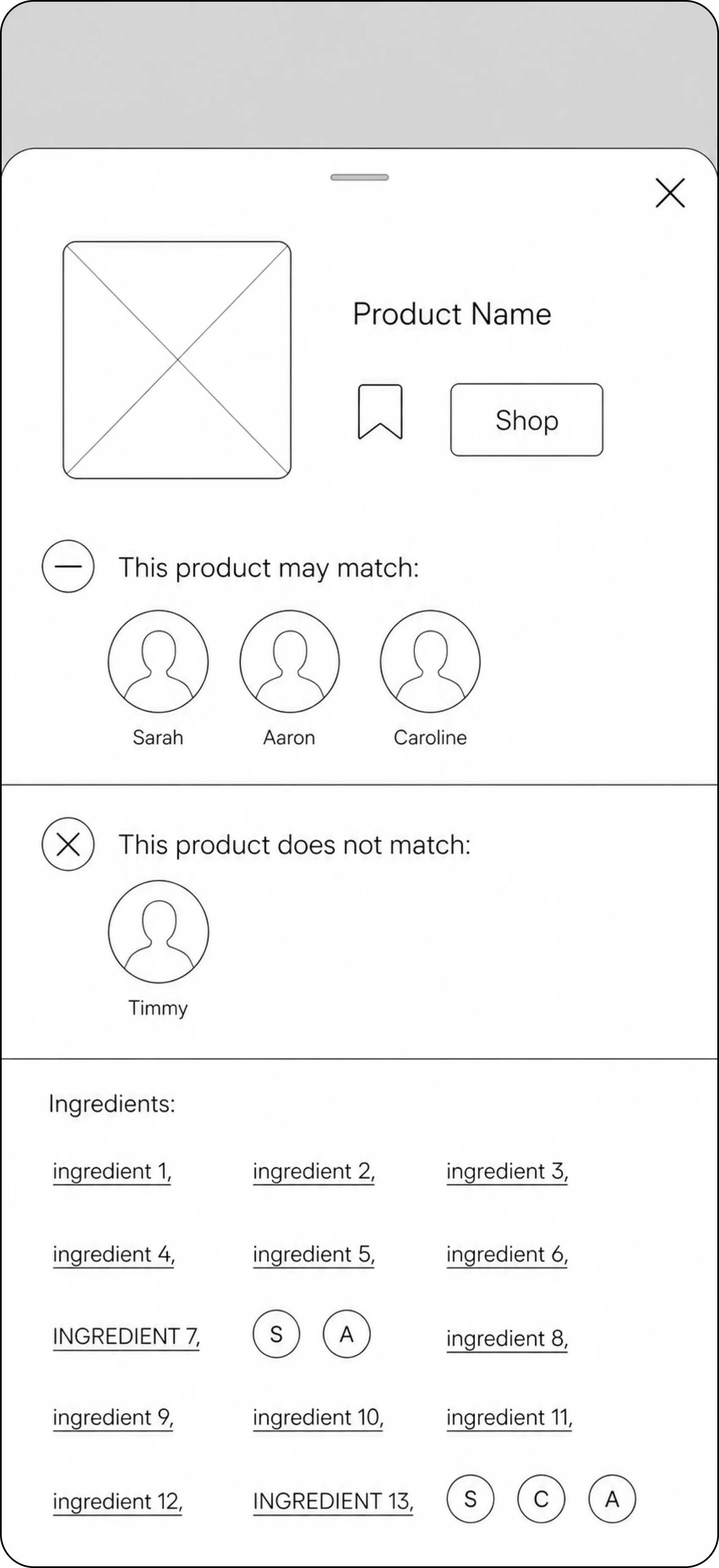
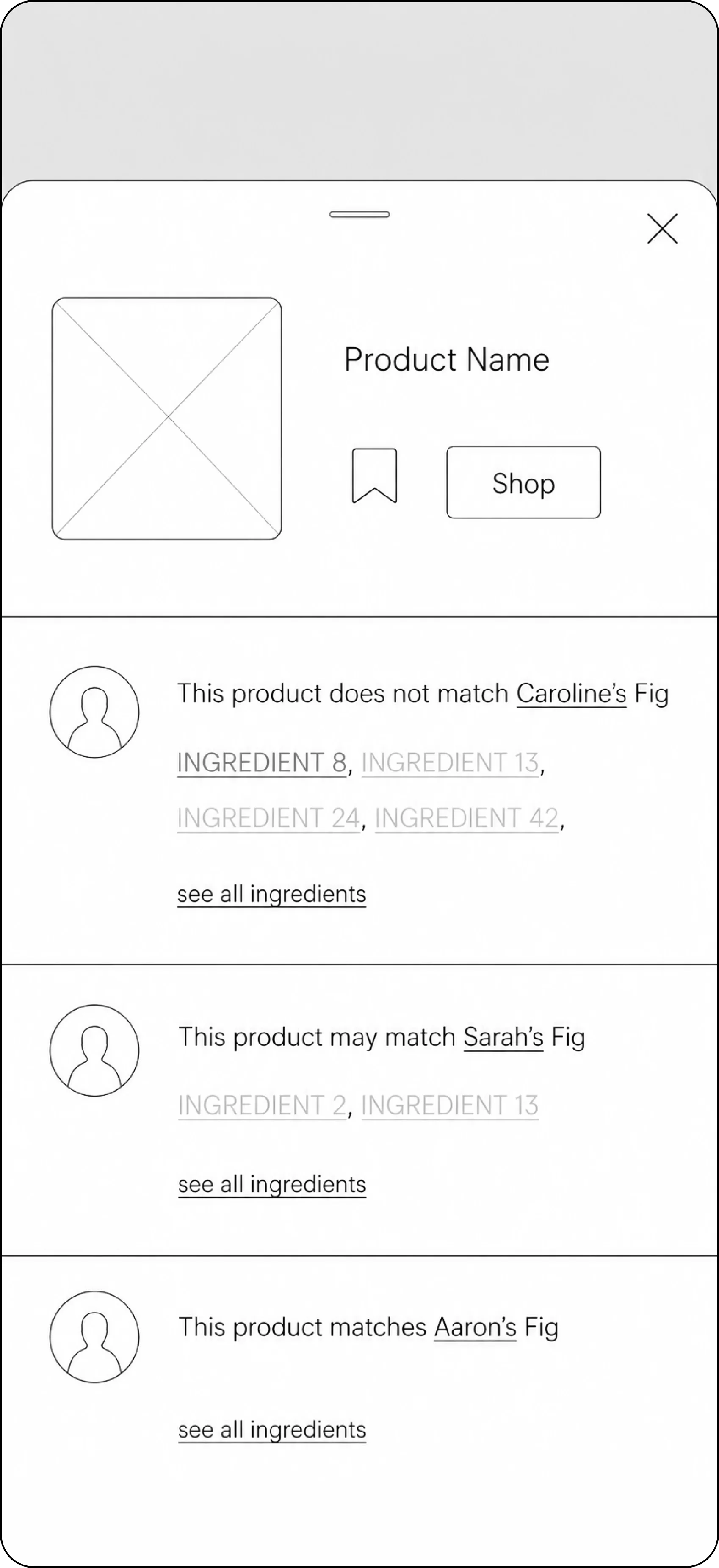
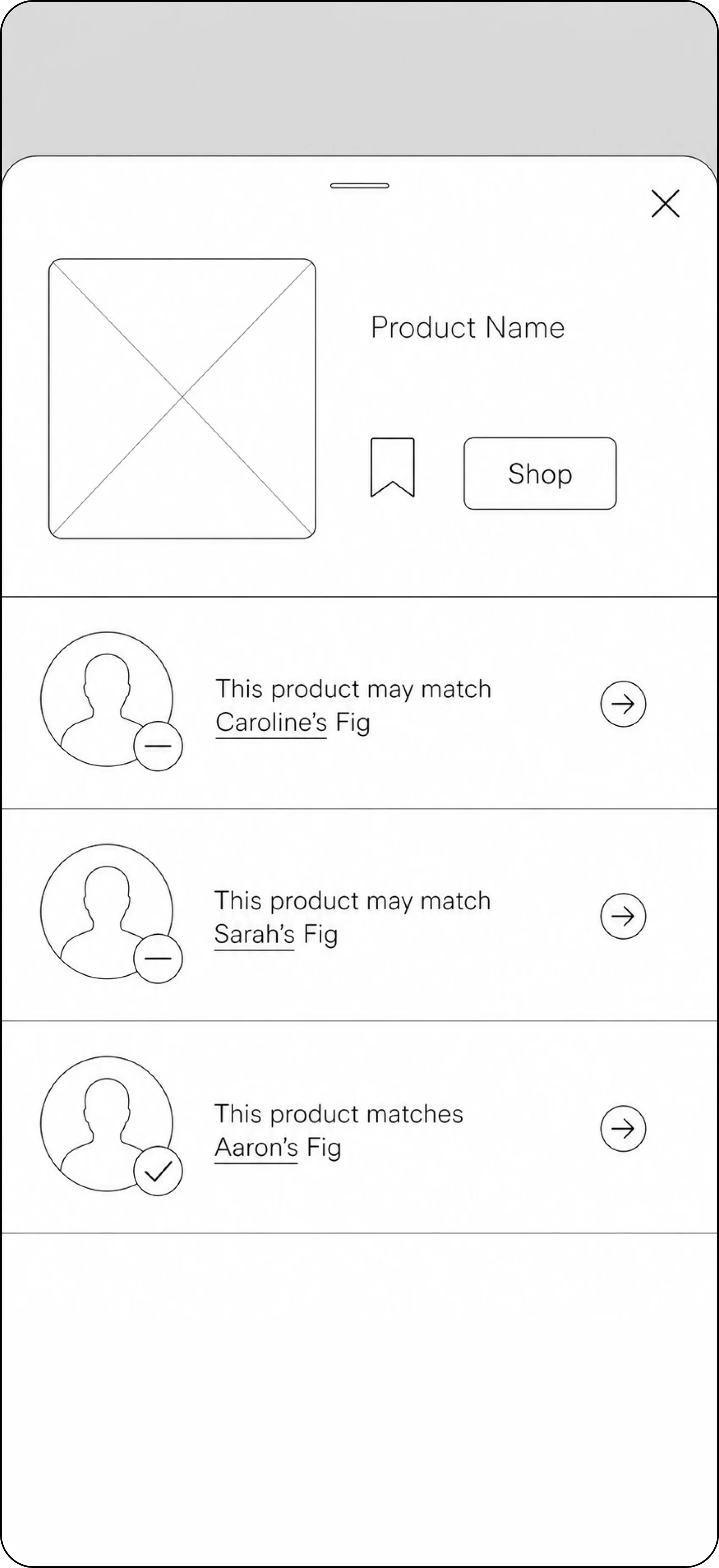
The others either hid the answer or piled it on. Tabs put each person one tap away. The shipped version is a simpler take on this.
I led UX and UI on iOS and Android as the sole designer, working with the Fig team through The Ashley Group. Designed the multi-profile scan.